AI for Creators · Guide
Write Alt Text for AI-Assisted Images That Carries the Actual Story
Describe the information an image adds in context, then edit generated drafts for purpose, accuracy, and redundancy.
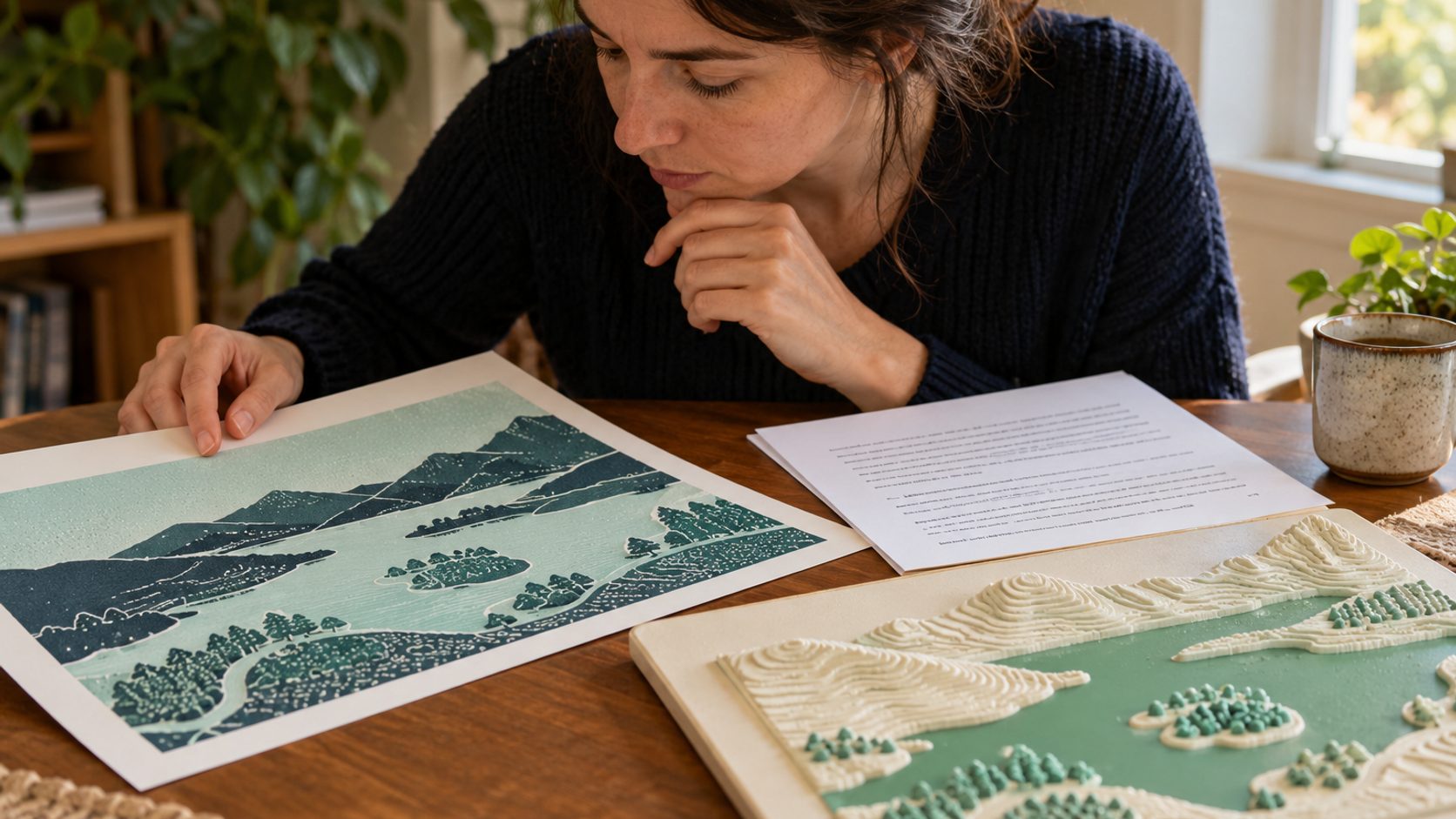
Start with the image’s role on the page. If it conveys information, describe the essential meaning briefly; if it is functional, name the action; if it is purely decorative, use an empty alternative. AI can propose a draft, but an editor must check the actual image, surrounding text, and what a reader would miss without seeing it.
Choose the image role before writing a sentence
An image of a desk can be decoration on one page and evidence of a process on another. Read the heading, caption, adjacent paragraph, and link context. Ask what information disappears when the image is removed. W3C's WAI guidance distinguishes informative, decorative, functional, and complex images because one formula cannot serve all of them. A purely decorative flourish can use an empty alternative so a screen reader does not announce unnecessary detail. A linked image needs the destination or action, not a catalogue of its colors. An informative illustration needs the point it conveys in this article. If an image includes data that cannot fit in a short description, provide the full information in nearby text or another accessible form. Do not ask an image model for alt text before determining this role; it can identify objects but cannot know the editorial purpose unless the purpose is supplied.
Describe meaning without inventing evidence
AI-generated visuals often depict fictional people, interfaces, or charts that resemble documentary evidence. The alt text should not turn them into real users, measured results, or an actual product screen. Describe what the image illustrates. For example, a conceptual hero may show an editor comparing claim cards with source pages; it does not show a named company's audit. If the image is a genuine screenshot, identify the relevant control or state and ensure the description matches the current version. Avoid guessed identities, emotions, or intentions. A person's visible action may be relevant; a model's imagined biography is not. The editor should inspect the final cropped asset, not only the original generation, because a crop can remove the very cue that the draft describes. When the visual is misleading, revise the visual or its surrounding copy; alt text cannot repair a false implication for sighted readers.
Use AI as a draft assistant with a complete brief
Give the assistant the final image, page topic, image role, and nearby copy. Ask for a concise alternative focused on the information not already stated. Then verify every noun, count, spatial relationship, and implied claim against the actual asset. A generic draft such as person using laptop misses why the image belongs in a story about evidence review. A verbose draft that inventories every paperclip and shadow burdens the listener. The right length depends on the job: a simple editorial photo often needs one sentence; a complex diagram may need a short summary plus a longer textual explanation elsewhere. Compare the draft with the sentence a human editor would write after reading the page. If they disagree, resolve the page's intent rather than accepting the more fluent text. Keep decorative treatment out of the alternative unless color or composition conveys essential meaning.
Handle charts and process diagrams with nearby detail
A chart's job is often the relationship among values, not its visual style. State the takeaway in a short alternative and provide the numbers, categories, time period, and caveat in real text or a table. Do not make the alt attribute a dump of every data point. For a process diagram, describe the ordered stages and important branch in surrounding prose so the content remains usable without the image. Check whether the diagram includes labels rendered as pixels; readers may need the words in an accessible form. WAI's image tutorial recommends that complex image information be available elsewhere on the page. A generated chart is especially risky because its marks may look precise without being grounded in data. Verify the source data and recreate the chart with controlled labels before treating it as evidence. The alternative should communicate the verified message, not lend credibility to decorative numbers.
Avoid repeating the caption or title
A caption and an alternative can do different work. The caption may attribute an image, explain its relevance, or add a source note. The alternative conveys the information a nonvisual reader needs from the image. If nearby text already provides the exact information, a shorter alternative or empty alternative may be appropriate depending on the role. Test the reading order: page title, heading, alt text, caption, and paragraph. Does it make sense without repetition or a missing step? Avoid starting every alternative with image of or photo of unless the medium matters to interpretation. Do not stuff keywords into alt text for search. Search visibility is not a reason to make the page harder to understand. The best description sounds like a useful part of the article, not a hidden metadata field written for a crawler.
Review at the final placement
Check the actual page at desktop and mobile sizes, with the final crop and surrounding copy. An image might be meaningful in the article body but decorative in a teaser card where the headline already conveys the point. If the same file appears in several contexts, its alternative may need to differ by component. Follow keyboard focus when the image is linked and ensure the accessible name communicates the link destination. Read the page with a screen reader or inspect the accessibility tree for a representative sample. Also ask someone unfamiliar with the draft to hear the alternative without seeing the image and explain what they understand. If their description differs from the article's point, revise. This practical check is more valuable than measuring character count alone. Store approved alt text with the content record so a later crop or replacement triggers another review.
Use a compact editorial checklist
For each new image ask: informative, functional, decorative, or complex? What changes in the reader's understanding if it is absent? Is every described detail visible in the final asset? Does the alternative avoid invented identity or result? Is the essential information available outside the image? Does it repeat the nearby text? An editor can answer these questions in minutes for a standard hero. Escalate only images that carry dense data, legal or safety meaning, or important interface instructions. The checklist works whether the visual was drawn, photographed, generated, or assembled from several sources. AI assistance does not alter the accessibility goal: a reader who cannot see the image should receive the information or function the page intended to communicate.
Example: a concept image versus a data graphic
A generated hero for an article about source checking might show an editor linking paper claims to documents. A useful alternative could say that an editor compares an AI draft with source pages before approving a brief. It should not announce that a real audit succeeded. A chart showing five measured values needs a different treatment: summarize the trend briefly and place the verified values and units in accessible text nearby. If the chart is decorative and the prose already states the finding, do not repeat every number in the alternative. The same drafting tool can help with both, but the editor must decide the image role before choosing words.
Sources and update note
Follow the linked official source before a product, price, plan, or policy decision.